AURA, SolidWorks AI, and 3D Scanning: Why Automated Drawings Just Got Effortless

3D Scanning Meets SolidWorks AI: AURA & Automated Drawings

If youโ€™ve spent any time in SolidWorks, you know the truth: the real work doesnโ€™t start at modelling โ€” it starts at documentation. Drawings, dimensions, revisions, and change control are where hours disappear.

Thatโ€™s exactly where AURA โ€” the AI Virtual Assistant inside 3DEXPERIENCE platform and SolidWorks Connected is quietly changing the game โ€” especially when itโ€™s paired with engineering-grade 3D scanning and LiDAR data.

For engineers, asset owners, and project teams working in brownfield or live environments, this combination is moving work from painful to almost effortless.


What Is AURA in SolidWorks?

AURA is the AI assistant embedded into the 3DEXPERIENCE ecosystem. Itโ€™s not a chatbot bolted on the side โ€” itโ€™s context-aware AI that understands what youโ€™re doing inside SolidWorks and helps automate repetitive, high-friction tasks.

AURA is already leading the way in:

  • Automated drawing creation
  • Intelligent dimension and view suggestions
  • Faster annotation and documentation workflows
  • Reduced manual clean-up during revisions

In short, AURA reduces the time between a finished model and a usable drawing set.


Why 3D Scanning Changes Everything

On its own, AI automation is powerful.
But when you feed it accurate real-world geometry from 3D scanning, it becomes transformational.

Traditional Workflow (The Old Pain)

  1. Manual site measurement
  2. Assumptions about whatโ€™s โ€œsquareโ€ or โ€œlevelโ€
  3. Rework when drawings hit site reality
  4. Revisions, RFIs, delays

Modern Workflow with 3D Scanning + AURA

  1. Site captured with 3D LiDAR scanning
  2. Dense, accurate point clouds imported into SolidWorks
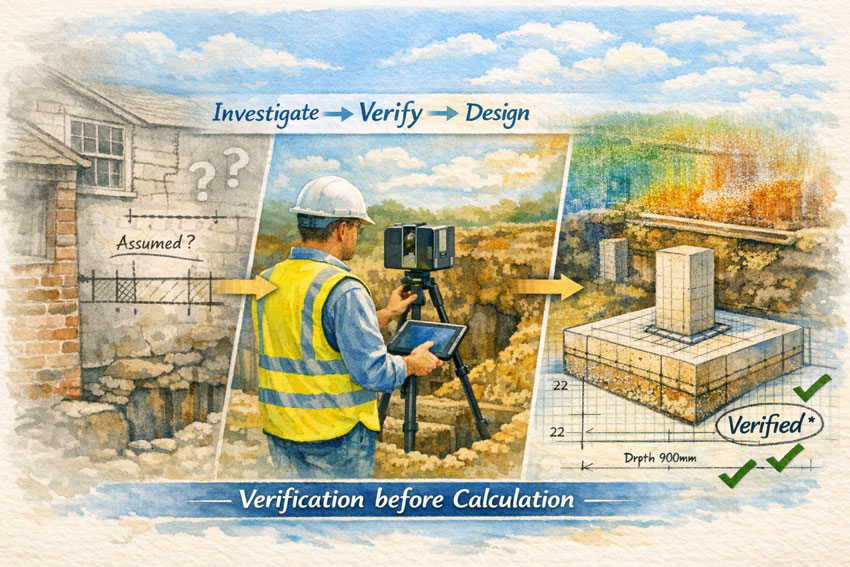
  3. Models built from reality, not assumptions
  4. AURA automates drawing views, dimensions, and documentation
  5. Faster sign-off, fewer clashes, less rework

This is where 3D scanning stops being โ€œnice to haveโ€ and becomes mission-critical.


Automated Drawings Built on Reality

When point cloud data drives the model, AURA has something incredibly valuable to work with: truth.

That means:

  • Drawings reflect as-built conditions, not legacy CAD
  • Dimensions align with real geometry
  • Hidden clashes are identified earlier
  • Fabrication drawings match site conditions the first time

For shutdowns, upgrades, and brownfield projects, this is huge.

The result:
๐Ÿ‘‰ Fewer site variations
๐Ÿ‘‰ Fewer fabrication surprises
๐Ÿ‘‰ Faster approvals
๐Ÿ‘‰ Lower project risk


Why Engineers Are Leaning Into AI + 3D Scanning

Once teams experience this workflow, itโ€™s hard to go back.

Engineers quickly notice:

  • Drawing creation time drops dramatically
  • Less mental load managing repetitive documentation
  • More time spent on engineering decisions, not drafting chores
  • Greater confidence that drawings reflect reality

When 3D scanning feeds SolidWorks and AURA handles the busywork, engineering becomes cleaner, calmer, and far more predictable.


Where Hamilton By Design Fits In

At Hamilton By Design, we sit at the intersection of:

  • Engineering-led 3D scanning
  • Point cloud to SolidWorks modelling
  • Real-world industrial and building services projects
  • Practical deployment of AI-enabled workflows

We donโ€™t just scan โ€” we engineer with the data.

That means:

  • LiDAR scans captured with downstream modelling in mind
  • Clean, structured point clouds optimised for SolidWorks
  • Models built to support AURA-driven automated drawings
  • Outputs that fabrication teams and contractors can actually use

Hamilton By Design logo displayed on a blue tilted rectangle with a grey gradient background

The Rise of the โ€œAURA + LiDAR Consultantโ€

This is a new role emerging in modern engineering teams:
someone who understands 3D scanning, SolidWorks, and how AI like AURA fits into real project delivery.

Thatโ€™s exactly the conversation weโ€™re having every day.

If youโ€™re:

  • Struggling with drawing production time
  • Managing upgrades in complex existing facilities
  • Tired of site conditions not matching drawings
  • Curious how AI and 3D scanning actually work together (not just in marketing slides)

๐Ÿ‘‰ Check in at www.hamiltonbydesign.com.au
Weโ€™re always happy to chat with you as your AURA + LiDAR consultant.


Final Thought: This Isnโ€™t the Future โ€” Itโ€™s Already Here

AI-assisted design isnโ€™t replacing engineers.
Itโ€™s removing the friction that slows good engineers down.

When AURA automates drawing creation and 3D scanning ensures models are grounded in reality, the result is simple:

โœ” Better drawings
โœ” Faster delivery
โœ” Fewer surprises
โœ” More time spent engineering

And once you work this way, thereโ€™s no going back.

Name
Would you like us to arrange a phone consultation for you?
Address

Engineering-Quality 3D Scanning in Papua New Guinea

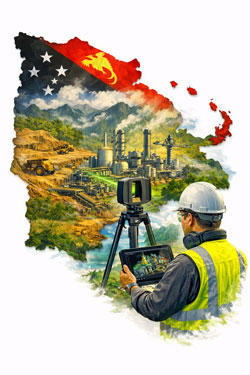
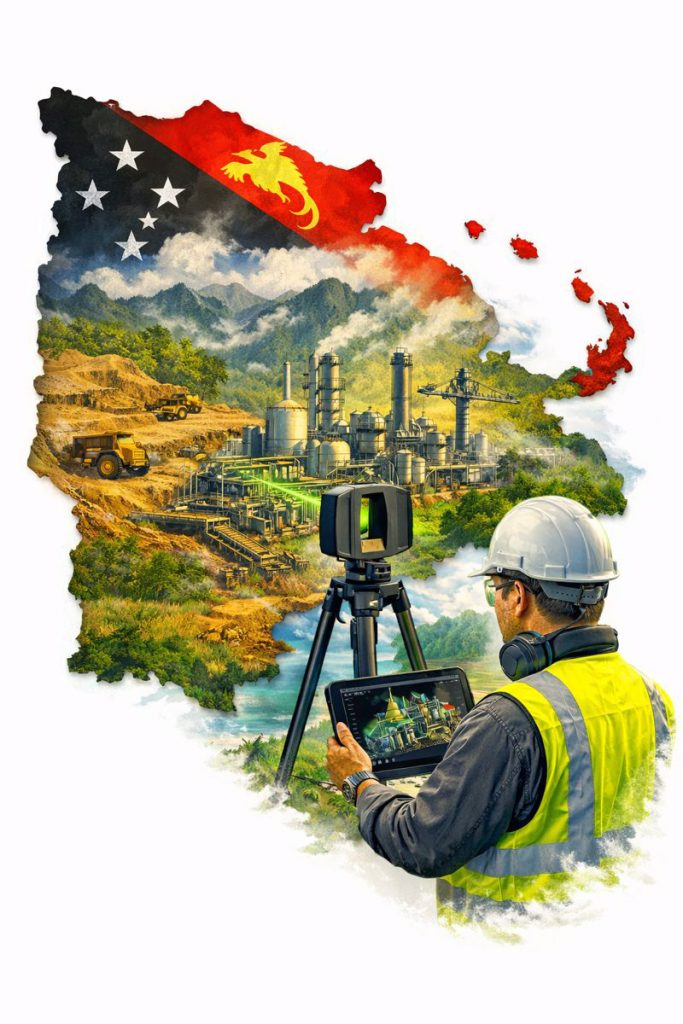
Engineer using LiDAR scanner to capture mining and processing plant within a map of Papua New Guinea for engineering design and plant upgrades.

Reality capture that stands up to design, fabrication and installation in remote industrial environments

Papua New Guinea (PNG) is home to complex, high-value industrial assets โ€” from mining and mineral processing plants through to ports, power generation and remote infrastructure. These projects are often delivered under tight shutdown windows, difficult logistics and challenging environmental conditions.

In these environments, engineering-quality 3D scanning is not a โ€œnice to haveโ€ โ€” itโ€™s a practical tool that reduces risk by capturing accurate as-built conditions and converting them into deliverables engineers can trust.

Hamilton By Design provides engineering-led LiDAR scanning and scan-to-CAD modelling workflows designed for real project outcomes: upgrades that fit, installations that align, and drawings that reflect reality.


Why โ€œEngineering Qualityโ€ Matters in PNG

Remote projects canโ€™t afford rework.

When access is limited and mobilisation costs are high, even a small design error can cause major delays:

  • fabricated components donโ€™t fit
  • tie-ins clash with existing pipework
  • platforms and handrails foul equipment clearances
  • shutdown windows blow out due to unexpected constraints

Engineering-quality reality capture reduces these risks by ensuring design starts from verified geometry โ€” not assumptions or outdated drawings.


Papua New Guinea industrial facility being digitally captured with 3D scanning to create accurate models for remote engineering and shutdown planning.

What Engineering-Quality 3D Scanning Includes

Not all scanning services deliver engineering-grade outcomes. โ€œEngineering qualityโ€ means the capture and deliverables are suitable for mechanical and structural decisions, including fabrication and installation.

Key elements include:

  • Survey control and consistent site referencing (where required)
  • Defined accuracy targets aligned to project tolerances
  • Registration QA and documented checks
  • Clear deliverables (E57/RCP/RCS, CAD models, drawings)
  • Model verification against point cloud prior to issue

The goal is simple: data you can design from.


Typical PNG Use Cases

1) Plant Upgrades and Brownfield Modifications

For conveyors, chutes, pipework, pump skids, structural platforms and access upgrades, scanning provides accurate spatial context for clash-free design.

2) Shutdown Planning and Constructability Reviews

Point clouds help teams plan:

  • access routes and lifting paths
  • installation sequencing
  • workpack scoping and constraints

This is especially valuable when shutdown windows are short and remote support is required.

3) Scan-to-CAD for Fabrication and Fit-Up

When components must be fabricated off-site and installed first time, engineering-grade LiDAR scanning provides the geometry needed for:

  • interface modelling
  • connection detailing
  • fabrication drawings

4) As-Built Documentation and Asset Records

Many sites have incomplete legacy drawings. A scanned dataset can become the โ€œsingle source of truthโ€ for future upgrades and maintenance planning.


Choosing the Right Scanning Tool for PNG Conditions

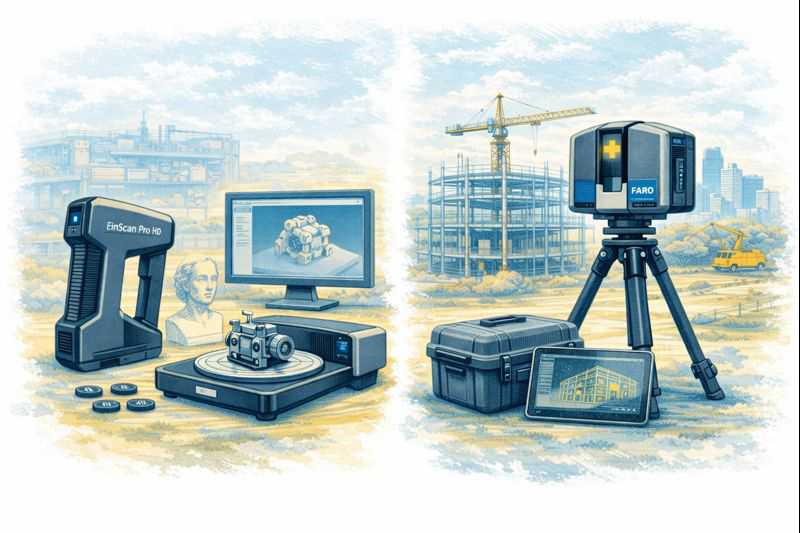
PNG sites often include large structures, dense plant, tight access and harsh environmental conditions. In these cases, engineering-grade LiDAR is typically required because it provides:

  • long-range capture across large facilities
  • reliable geometry in low-light / indoor areas
  • accuracy suitable for engineering design decisions

Other capture methods (visual scanning or photogrammetry) can be useful for context and surfaces, but if fabrication, tie-ins, and fit-up matter, LiDAR is usually the right choice.


Deliverables That Engineers Actually Use

Engineering-quality reality capture is only valuable if it becomes practical outputs.

Common deliverables include:

  • Registered point clouds (E57 / RCP / RCS)
  • 2D layouts, sections and elevations extracted from scans
  • Scan-to-CAD models (structural, mechanical, piping)
  • Interface models for replacement components
  • Verification snapshots and check notes (QA evidence)

How We Manage Quality on Remote Projects

Remote work demands a higher standard of planning.

An engineering-quality workflow typically includes:

  1. Scope definition (what decisions will rely on the data?)
  2. Accuracy targets set to match the engineering requirement
  3. Capture plan (coverage, control, safe access, shutdown constraints)
  4. Registration + QA checks (repeatability, closure error, spot checks)
  5. Model extraction and verification against point cloud
  6. Issue deliverables in formats aligned to the project team

This approach reduces site revisits and ensures the data is fit for purpose.


Why Engineering-Led Reality Capture Matters

3D scanning becomes far more valuable when itโ€™s integrated with mechanical and structural engineering โ€” because the deliverables are designed to support:

  • design decisions
  • fabrication requirements
  • installation sequencing
  • long-term asset management

Engineering-led reality capture means scanning is not the end product โ€” it is the foundation for a better engineering outcome.


Hamilton By Design logo displayed on a blue tilted rectangle with a grey gradient background

Final Thoughts

For industrial projects in Papua New Guinea, engineering-quality 3D scanning helps teams deliver upgrades with confidence โ€” particularly where logistics are difficult, shutdown time is limited, and โ€œmeasure twiceโ€ is expensive.

If the project depends on fit-up, constructability and accurate as-built conditions, start with reality capture that is designed for engineering โ€” not just visualisation.

Name
Would you like us to arrange a phone consultation for you?
Address

Engineering 3D Scanning for Industrial and Infrastructure Projects in Thailand

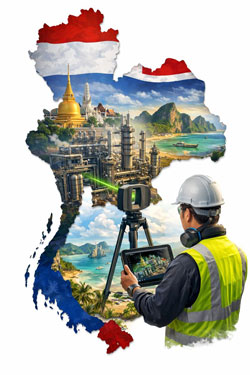
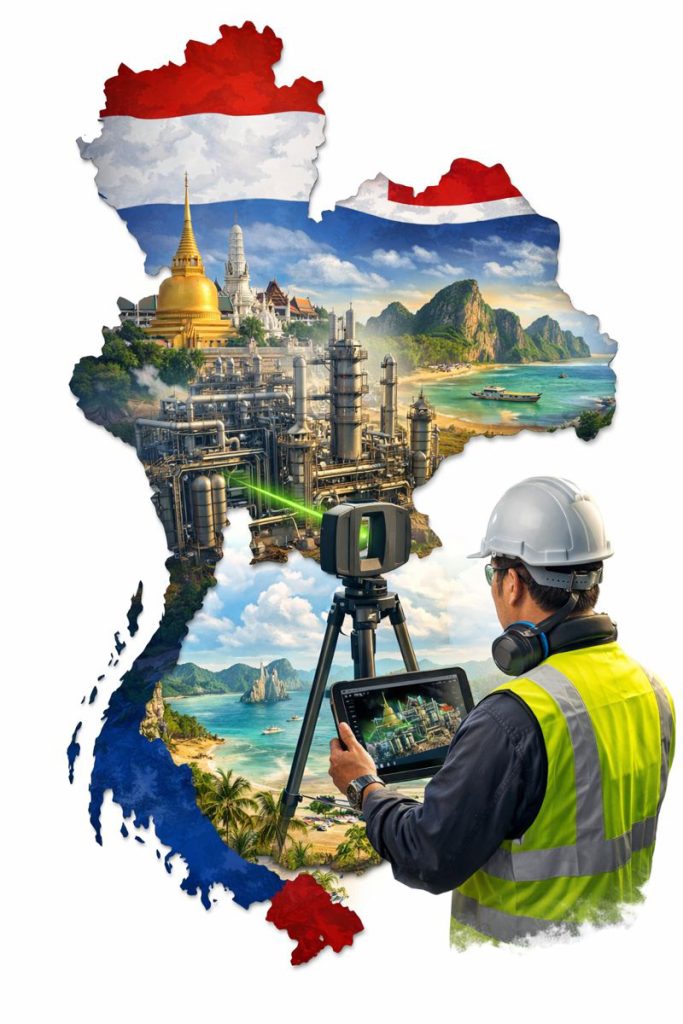
Engineer using LiDAR scanner to capture industrial plant within a map of Thailand, representing engineering 3D scanning for infrastructure and manufacturing projects.

Engineering 3D Scanning for Industrial Projects in Thailand

Supporting safer, faster and more accurate upgrades across manufacturing and processing facilities

Thailand is one of Southeast Asiaโ€™s major industrial hubs, with large manufacturing estates, petrochemical complexes, power generation facilities and transport infrastructure supporting both domestic and export markets. As these facilities continue to expand and modernise, engineering teams are increasingly relying on 3D laser scanning and reality capture to improve design accuracy and reduce construction risk in operating environments.

Engineering-grade 3D scanning is becoming a critical tool for supporting plant upgrades, retrofit projects and infrastructure works where accurate as-built information is essential.


Why As-Built Accuracy Matters in Thai Industrial Facilities

Many industrial sites in Thailand have developed over long periods, with multiple upgrades, expansions and equipment replacements. As a result, existing drawings often no longer reflect actual site conditions.

This creates challenges such as:

  • Unknown clashes with existing services
  • Limited access for installation and maintenance
  • Increased shutdown risk
  • Safety hazards during construction

Engineering-grade laser scanning captures high-density point cloud data that accurately reflects the current state of the facility, giving engineers confidence that designs will fit before work begins on site.


Key Applications of Engineering 3D Scanning in Thailand

Manufacturing Plant Upgrades

Thailandโ€™s automotive, electronics and food processing industries frequently upgrade production lines to improve throughput and automation. Laser scanning allows new machinery and conveyors to be designed directly into existing layouts, reducing installation issues and commissioning delays.


Industrial facility in Thailand being digitally captured with 3D scanning to create accurate models for engineering and upgrade planning.

Petrochemical and Process Facilities

Process plants rely on precise pipework, structural and equipment interfaces. Scanning supports:

  • Tie-in design
  • Pipe routing verification
  • Structural modification planning
  • Safety and access reviews

This is particularly valuable when modifications must be completed during short shutdown windows.

Power and Utilities Infrastructure

Power stations, substations and utility facilities benefit from accurate spatial data for:

  • Equipment replacement
  • Structural strengthening
  • Cable routing upgrades
  • Maintenance planning

3D scanning enables safer design development with fewer site visits in high-risk areas.

Transport and Civil Infrastructure

For stations, depots, bridges and industrial precincts, reality capture supports:

  • Retrofit design
  • Clearance verification
  • Construction staging and access planning

Providing reliable geometry where traditional surveys may be difficult or disruptive.


Why Engineering-Grade LiDAR Is Essential for Industrial Projects

Not all scanning systems are suitable for engineering design.

Industrial and infrastructure projects typically require:

  • Millimetre-level accuracy
  • Long-range scanning capability
  • Reliable reference for CAD and BIM modelling
  • Robust performance in harsh environments

Engineering-grade LiDAR scanners are designed to meet these requirements, making them suitable for mechanical, structural and services design where tolerances and constructability are critical.

Visual scanning platforms are valuable for documentation and communication, but fabrication and installation planning depend on higher-accuracy capture methods.


Benefits for Project Teams and Asset Owners

When integrated into engineering workflows, 3D scanning delivers clear project advantages:

  • Reduced re-measurement on site
  • Improved design confidence
  • Fewer construction clashes
  • Shorter shutdown durations
  • Safer design development
  • Better coordination between disciplines

For facilities operating at high production capacity, reducing downtime and rework has significant financial impact.


Engineering-Led Reality Capture Workflows

The true value of scanning lies not just in capturing data, but in how that data is used.

Engineering-led reality capture integrates point cloud data into:

  • Mechanical and structural design
  • Scan-to-CAD and Scan-to-BIM modelling
  • Fabrication drawing development
  • Installation planning and verification

This ensures scanning directly supports project delivery, not just documentation.


Supporting Industrial Growth Across Southeast Asia

Thailand continues to invest heavily in industrial development, automation, energy infrastructure and transport networks. Engineering-grade reality capture supports this growth by enabling:

  • Faster project start-up
  • Better design coordination
  • Reduced construction risk

As facilities become more complex, accurate digital site data becomes a critical foundation for future upgrades and long-term asset management.


Final Thoughts

For industrial and infrastructure projects in Thailand, 3D laser scanning is no longer a specialist technology โ€” it is a practical engineering tool that supports safer, more efficient and more predictable project delivery.

When combined with mechanical and structural engineering expertise, reality capture enables teams to design, coordinate and construct with greater confidence in some of the regionโ€™s most complex operating environments.

Name
Would you like us to arrange a phone consultation for you?
Address

Choosing the Right 3D Scanning Tools for Your Project

Diagram comparing visual scanning, engineering LiDAR and photogrammetry to help choose the right 3D scanning method for construction and engineering projects.

Choosing the Right 3D Scanning Tool for Engineering Projects

3D scanning is now widely used across construction, property, manufacturing, and heavy industry โ€” but not all scanning tools are designed for the same outcomes. Choosing the right technology depends less on the buzzwords and more on what you actually need to do with the data after itโ€™s captured.

This article explains the main types of 3D scanning commonly used in Australia today, what theyโ€™re best suited for, and how to choose the right approach for your project.


1. Visual Capture Scanning (Property, Architecture & Digital Twins)

Best for:

  • Property marketing and virtual tours
  • Design coordination
  • Facilities management
  • Heritage documentation
  • Basic Scan-to-BIM

Typical outputs:

  • Web-based walkโ€‘through models
  • Coloured point clouds
  • Floor plans and simple BIM geometry
  • OBJ / E57 exports for modelling

Strengths:

  • Fast capture
  • Lower cost
  • Easy sharing via web platforms
  • Excellent for stakeholder engagement

Limitations:

  • Lower geometric accuracy
  • Not suitable for fabrication tolerances
  • Not reliable for mechanical or structural fitโ€‘up

This type of scanning is ideal when the goal is visual context and spatial understanding, rather than precise dimensional control.


Engineers using LiDAR scanners to capture plant equipment and convert point cloud data into CAD models for verification and as-built documentation.

2. Engineeringโ€‘Grade LiDAR Scanning (Industrial & Retrofit Projects)

Best for:

  • Mechanical and structural design
  • Plant upgrades and brownfield sites
  • Clash detection
  • Fabricationโ€‘ready modelling
  • Shutdown planning

Typical outputs:

  • Highโ€‘density point clouds
  • Registered E57 / RCP datasets
  • CADโ€‘ready reference geometry
  • Scanโ€‘toโ€‘CAD and Scanโ€‘toโ€‘BIM models

Strengths:

  • Millimetreโ€‘level accuracy
  • Longโ€‘range capability
  • Reliable for engineering measurement
  • Suitable for design verification

Limitations:

  • Higher equipment and processing cost
  • Longer setup and registration time
  • Requires engineering workflows to extract value

Engineering LiDAR is used when design decisions and fabrication depend on accurate geometry, not just visual representation.


3. Photogrammetry (Large Areas & Outdoor Mapping)

Best for:

  • Stockpile measurement
  • Terrain mapping
  • Faรงade capture
  • Infrastructure corridors

Typical outputs:

  • Mesh models
  • Orthophotos
  • Surface models

Strengths:

  • Covers large areas quickly
  • Droneโ€‘based access
  • Useful for topography

Limitations:

  • Less accurate for fine detail
  • Poor performance in tight or indoor environments
  • Limited for mechanical components

Photogrammetry is excellent for scale and surface data, but not for highโ€‘precision engineering work.


4. Why the End Use of Data Matters More Than the Scanner

The most common mistake in 3D scanning projects is choosing a capture method before defining:

  • Will the data be used for design and fabrication?
  • Or mainly for visualisation and documentation?
  • Do tolerances matter?
  • Will components be manufactured from this data?

If scanning is only used for:

  • Layout confirmation
  • Space planning
  • Stakeholder communication

Then visual scanning platforms may be entirely sufficient.

If scanning is used for:

  • Equipment replacement
  • Structural modification
  • Pipework or conveyor interfaces
  • Custom fabrication

Then engineeringโ€‘grade LiDAR is essential.


5. Matching the Tool to the Job

Project TypeRecommended Technology
Real estate & virtual toursVisual capture scanning
Office and building refurbishmentsVisual capture or LiDAR depending on tolerances
Plant upgrades & shutdownsEngineeringโ€‘grade LiDAR
Mechanical retrofitsEngineeringโ€‘grade LiDAR
Large outdoor mappingPhotogrammetry or LiDAR
Fabrication from existing assetsEngineeringโ€‘grade LiDAR only

6. Scanning Is Only Step One

Regardless of the technology used, scanning only creates value when paired with:

  • Proper registration and QA
  • Engineering interpretation
  • CAD modelling and documentation
  • Design validation

Without these steps, point clouds remain large files with limited practical use.

The biggest performance gains come when scanning is directly integrated into:

  • Engineering design
  • Constructability reviews
  • Clash detection
  • Fabrication planning

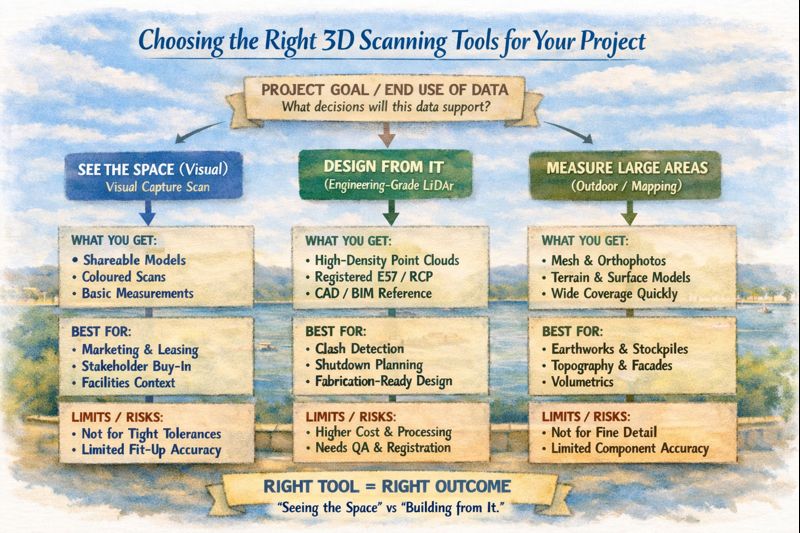
Infographic explaining how to choose the right 3D scanning tool based on whether a project needs visualisation, engineering design, or large-area measurement.

Final Thoughts

3D scanning is not a single solution โ€” it is a group of technologies with very different strengths.

The right approach depends on whether your project is focused on:

  • Seeing the space, or
  • Building from the space

Understanding that difference early can save significant time, cost, and rework later in the project lifecycle.

If youโ€™re unsure which approach fits your project, start by defining what decisions and deliverables will rely on the data โ€” then choose the scanning method that supports those outcomes, not just the fastest or cheapest option.

Name
Would you like us to arrange a phone consultation for you?
Address

Digital Twin Creation & Long-Term Asset Management

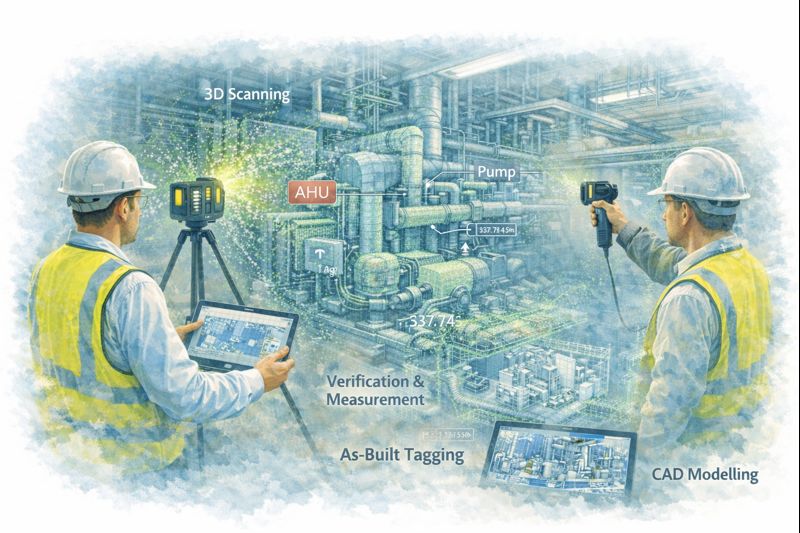
Digital twin created from LiDAR scanning showing asset tags and maintenance planning in industrial facility

Digital Twin Asset Management Sydney | Hamilton By Design

From Point Cloud to Digital Twin: Better Asset Control for Sydney Precincts

For asset owners and facilities managers across Greater Sydney and the Central Coast, accurate and accessible building data is no longer a luxury โ€” it is critical for maintenance planning, compliance, risk management, and future upgrades.

Yet many facilities still rely on incomplete drawings, outdated asset registers, or disconnected documentation spread across multiple systems.

At Hamilton By Design, we use high-accuracy 3D scanning and engineering-led modelling to create digital twins โ€” intelligent, data-rich representations of real facilities that support long-term asset management, not just one-off construction projects.


Why Traditional Building Records Fall Short

Over the life of a facility, buildings change constantly:

  • Services are upgraded or rerouted
  • Plant is replaced or relocated
  • Structural movement occurs over time
  • Temporary works become permanent
  • Documentation becomes fragmented or lost

As a result, asset owners are often forced to make decisions based on assumptions instead of verified data, increasing operational risk and lifecycle costs.

Digital twins replace uncertainty with measurable, current, and verifiable building intelligence.


What Is a Digital Twin โ€” and Why It Matters

A digital twin is more than a 3D model. It is a continuously usable digital representation of your physical asset that can support:

  • Asset lifecycle management
  • Maintenance planning and scheduling
  • Retrofit and upgrade forecasting
  • Compliance verification and reporting
  • Insurance documentation and risk mitigation

Using LiDAR and reality capture, we first create highly accurate point cloud data of your facility. This is then converted into structured engineering models and documentation, forming the foundation of a usable digital twin environment.


Supporting the Full Asset Lifecycle

Digital twins created by Hamilton By Design are designed to support decision-making across the entire life of an asset.

Asset Lifecycle Management

Digital twins provide a verified reference for:

  • Plant locations and access paths
  • Service routing and capacity
  • Structural geometry and tolerances
  • Interface points between systems

This allows asset teams to plan interventions without repeated site surveys or intrusive investigations.


Maintenance Planning and Access Strategy

Maintenance activities often fail not due to equipment faults, but due to poor access planning and unknown service constraints.

Digital twins allow teams to:

  • Visualise maintenance access zones
  • Plan shutdown sequences
  • Coordinate contractor access safely
  • Reduce unexpected site conditions

This is particularly valuable in hospitals, transport facilities, and industrial plants where downtime is extremely costly.


From point cloud to digital twin for lifecycle management of Sydney industrial and precinct assets

Retrofit and Upgrade Forecasting

When assets age, upgrade programs become unavoidable โ€” but without accurate models, forecasting becomes unreliable.

With digital twins, asset owners can:

  • Test retrofit scenarios digitally
  • Assess spatial constraints early
  • Coordinate staged construction programs
  • Validate new services layouts before installation

This significantly reduces redesign cycles and programme risk.


Compliance, Insurance and Risk Documentation

High-accuracy digital records also support:

  • Compliance audits
  • Fire and safety system verification
  • Engineering certification
  • Insurance risk assessments

Digital twins provide verifiable evidence of current conditions, which is increasingly important for regulatory and insurer requirements.


Enterprise-Value Scanning, Not Just Project Scanning

Many scanning services stop at delivering point clouds. Hamilton By Design goes further by integrating scanning into an engineering and asset management workflow.

Our service extends beyond capture into:

  • Mechanical engineering interpretation
  • Systems modelling and coordination
  • Project and asset integration support
  • Fabrication and modification planning

This makes digital twins a strategic asset tool, not just a design input.


Construction, Operations and Future-Proofing โ€” All in One Model

Our digital twin workflows support:

  • Operational facilities
  • Construction planning
  • Ongoing modifications
  • Future asset strategies

By maintaining continuity between engineering, construction, and asset management data, digital twins become a single source of truth for multiple stakeholders.


Deliverables Designed for Asset Teams

We provide digital twin outputs in formats compatible with enterprise asset and design systems:

  • High-resolution point clouds (RCP / E57)
  • Revit asset models
  • AutoCAD documentation
  • SolidWorks equipment and systems models
  • Asset-aligned 2D drawings
  • Data structured for future updates

These can be used directly by engineering consultants, maintenance teams, and facilities management platforms.


Supporting Sydney and Central Coast Asset Portfolios

We work with asset owners across:

  • Healthcare precincts
  • Commercial property portfolios
  • Industrial facilities
  • Infrastructure and transport sites
  • Education campuses
  • Heritage and government assets

Our local support allows ongoing engagement as facilities evolve, not just one-off capture projects.


Turn Building Data into an Asset Strategy

Digital twins transform buildings from static structures into data-driven, manageable systems.

They allow asset owners to move from reactive maintenance to planned lifecycle control, improving reliability, safety, and financial predictability.


Hamilton By Design logo displayed on a blue tilted rectangle with a grey gradient background

Arrange a Digital Twin Consultation

If you are responsible for long-term facility performance, compliance, or upgrade planning:

Please fill out the form below to arrange a phone consultation.

Weโ€™ll discuss your asset portfolio, operational requirements, and long-term objectives, and recommend a digital twin strategy that supports both current operations and future upgrades.

Name
Would you like us to arrange a phone consultation for you?
Address